When you, as a realtor, have been linked to a loan application within our system, you will have access to view real-time status of your loan. This portal will also give you the ability to view, update, and download pre-approval letters once the loan has reached PreApproved status. These directions will walk you through how to access and update the pre-approval letter.
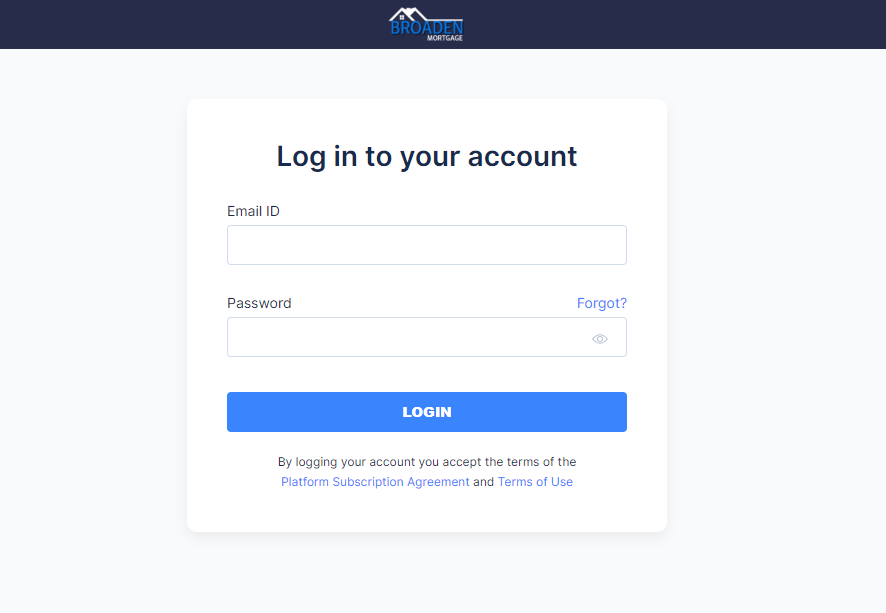
Once there, enter your email address and the password that you created when you accepted the invitation.
Step 2 - find loan
Once logged in, you will see the following items in the navigation bar on top: Loan Pipeline, Lead Pipeline, and Business Contacts. Make sure that Loan Pipeline is selected.
Within your Loan Pipeline, you will see all loans that are linked to you within our system. Find the loan that you are looking for and click the Pre-Approval button to the right.
Step 3 - Pre-Approval Letter
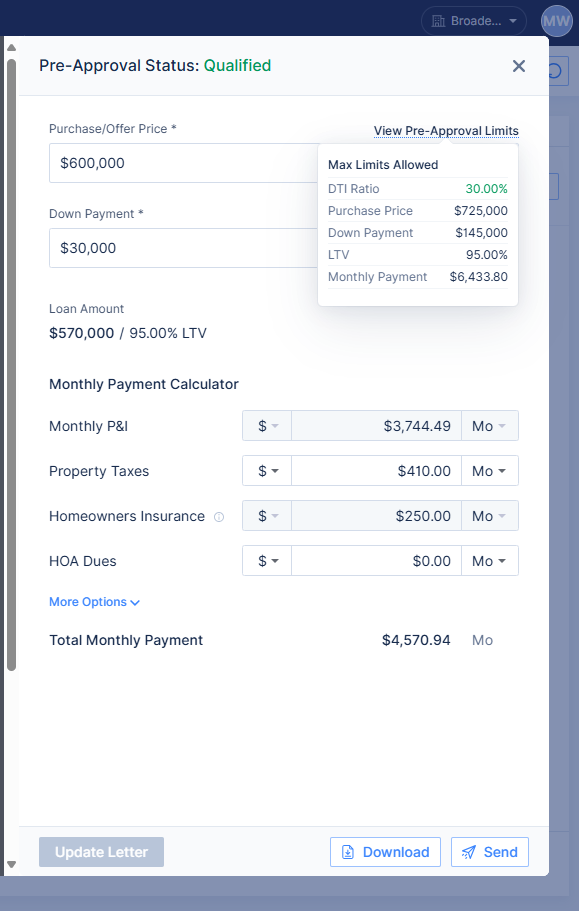
When the pre-approval is processed, the purchase price and other factors in the pre-approval are set with maximum values. These values are based on the assessment of the borrowers income, assets, and interview. As a realtor, you have the ability to change the pre-approval letter within the tolerable limits for each value. You can view the maximum values by clicking the ‘View Pre-Approval Limits’ link.
Within your Loan Pipeline, you will see all loans that are linked to you within our system. Find the loan that you are looking for and click the Pre-Approval button to the right.
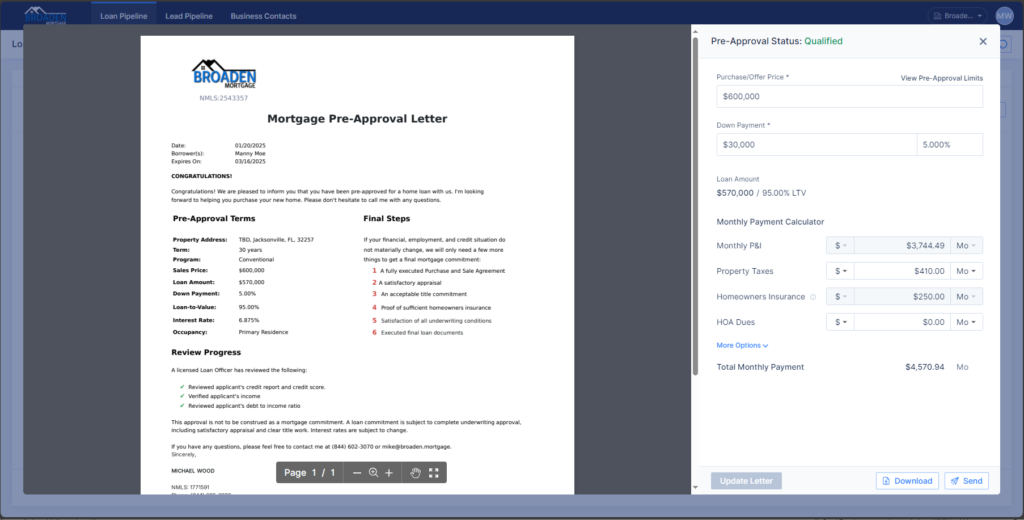
Once you click on the Pre-Approval button, a new screen will display showing the pre-approval letter and the variables that you can change.
All of the configurable variables on the right have limits that cannot be exceeded. To see the maximum setting for each, you can mouse over the link View Pre-Approval Limits above the Purchase/Offer Price setting.
Any value that you wish to exceed would require that the loan go back through pre-approval so that the values can be re-assessed. For example, if you wanted to write a scenario with more money used as a down payment, bank statements would need to be verified to assure that the funds are available.
Simply change the variables of the letter that you wish to update and press the Update Letter button on the bottom. The letter representation on the left will change with the affected changes. Once the letter is to your satisfactions, you can click the Download button to retrieve a copy, or you can press the Send button to have it sent to yourself or the borrower.
If you run into problems with this process, or just prefer for us to do it for you, just reach out to us and we will be more than happy to assist.